
Screen Recorder : Video Recorder & Screen Capture1.3 - Google Play
You'll be able to see results in few seconds.
Publisher Description

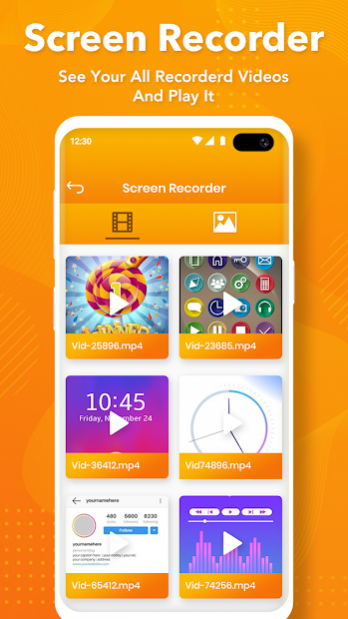
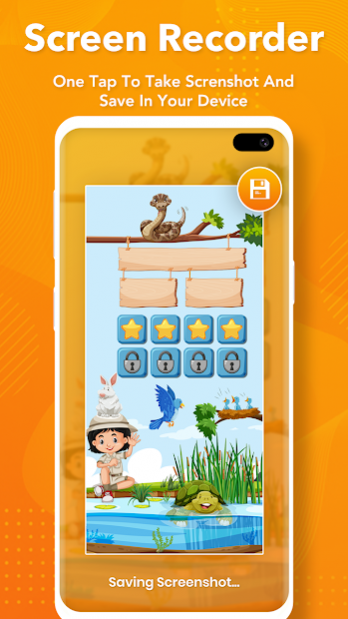
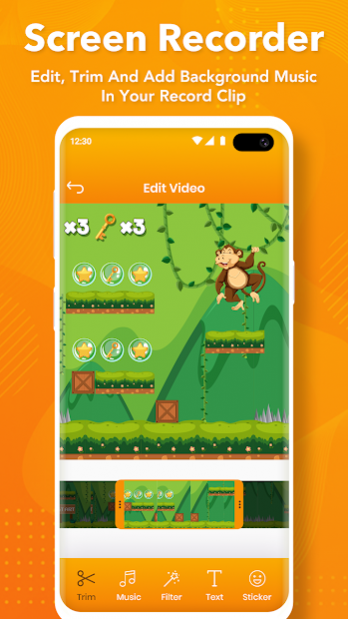
Screen Recorder : Video Recorder & Screen Capture
The all-in-one free screen recorder app and video editor app! Use this free screen recorder to screen record gameplay without time limit! And also Screen recorder without watermark!
Screen Video Recorder - Screen recorder with audio supports recording game screen in the highest quality, 1080p, 12Mbps, 60FPS. Of course, you can record screen with adjustable resolution (240p to 1080p), quality, and FPS(15FPS to 60FPS).
Screen Recorder : Video Sound Recorder is a stable, high-quality screen recorder for Android that helps you record smooth & clear screen videos. With a ton of features like screen capture, screen video recorder, video editor, live stream screen, this screen recording app provides an easy way to record screen videos such as video tutorials, video calls, game videos, live shows.
Super Screen Recorder : Video Recorder app has a simple, easy-to-use interface. Application suitable for everyone, all ages. The application is easy to reach even first-time users.
Download this fantastic screen recorder with audio to record your own video now.
Screen Recorder with Audio app Features :
- Capture screen to take a clear Screenshot.
- Record screen.
- One tap to Start / Pause/ Resume recording.
- Record Gameplay on your phone.
- No watermark : Record a Clean Video & Screenshot.
- Support Magic Button to Control screen recording and take Screenshot.
- Edit overlay feature - you can draw notes onto the screen while recording.
- Trim video after finish recording or any video has format MP4 available on devices
- Add sticker and text to the picture.
- Instant recording even in another application.
- No recording time limits.
- Countdown timer to be a fully prepared recorder.
- No root needed.
- Support save a video in SD Card or anything location which you want.
- Easy Sharing for Screen Record.
- Simple and Useful Video Editor.
There is always Floating Window always staying on top to have record option any time. This Screen recording is very useful to share recordings to your friends after you record any hard functionality in your app.
Download the best screen recorder app now! And upload videos on your YouTube account. The free screen recorder app : best video recorder recommended for you!
If you have any feedback, bug reports, suggestions or you can help with the translations, please contact us at snapartstudio211@gmail.com. Wish you a nice day!
Thanks for downloading Screen Recorder app.
Disclaimer:
* Video Recorder app is not responsible for any intellectual property violation that results from an unauthorized video recording.
* All recording behaviour must comply with the Terms of the content providing platforms.
* Video Recorder app is not associated with any other social media platforms.
* Please get the PERMISSION from the owner if you record any content beyond personal use.
* Video Recorder app will never collect any personal files from users without permission. All the recorded files are saved locally on your device, neither we nor any third-party can access them.
About Screen Recorder : Video Recorder & Screen Capture
The company that develops Screen Recorder : Video Recorder & Screen Capture is Snap Art Studio. The latest version released by its developer is 1.3.
To install Screen Recorder : Video Recorder & Screen Capture on your Android device, just click the green Continue To App button above to start the installation process. The app is listed on our website since 2021-02-11 and was downloaded 0 times. We have already checked if the download link is safe, however for your own protection we recommend that you scan the downloaded app with your antivirus. Your antivirus may detect the Screen Recorder : Video Recorder & Screen Capture as malware if the download link to com.sas.videoeditor.videorecorder.screenrecorder.screenshot.Screen.Recorder.free.recordingvideo is broken.
How to install Screen Recorder : Video Recorder & Screen Capture on your Android device:
- Click on the Continue To App button on our website. This will redirect you to Google Play.
- Once the Screen Recorder : Video Recorder & Screen Capture is shown in the Google Play listing of your Android device, you can start its download and installation. Tap on the Install button located below the search bar and to the right of the app icon.
- A pop-up window with the permissions required by Screen Recorder : Video Recorder & Screen Capture will be shown. Click on Accept to continue the process.
- Screen Recorder : Video Recorder & Screen Capture will be downloaded onto your device, displaying a progress. Once the download completes, the installation will start and you'll get a notification after the installation is finished.
Program Details
System requirements
Download information
Pricing
Version History
version 1.3
posted on 2021-02-11
- Performance Improved
version 1.2
posted on 2021-02-02
Disclaimer
Official Google Play Link
We do not host Screen Recorder : Video Recorder & Screen Capture on our servers. We did not scan it for viruses, adware, spyware or other type of malware. This app is hosted by Google and passed their terms and conditions to be listed there. We recommend caution when installing it.
The Google Play link for Screen Recorder : Video Recorder & Screen Capture is provided to you by apps112.com without any warranties, representations or guarantees of any kind, so access it at your own risk.
If you have questions regarding this particular app contact the publisher directly. For questions about the functionalities of apps112.com contact us.
